6 Checks Before Entering Personal Information into a Free AI
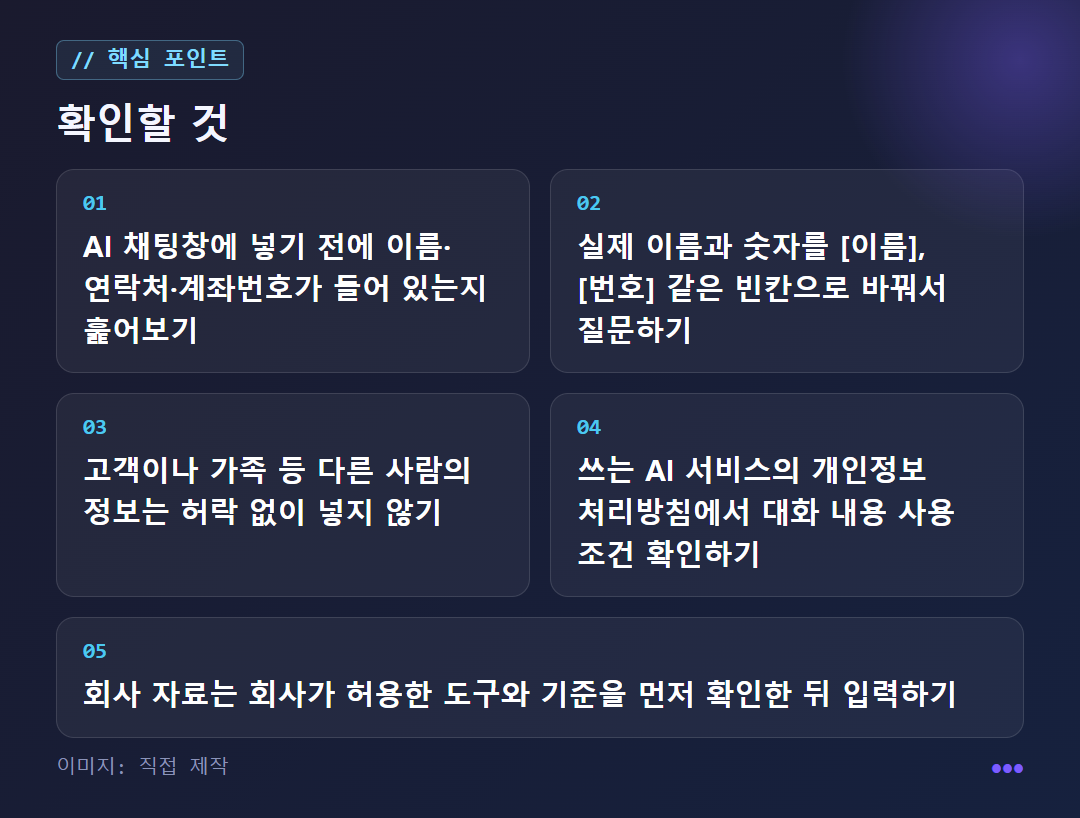
Don't paste names, contact details, or customer lists into the chat window as they are. Before you press Enter, just run through these six items.
Observation just before entering
Changing orbit
Check the route rules
FAQ


A closer look
Which star does the sentence I typed fly to?
The short answer: it doesn't stay on your device. A sentence you write in an AI chat window isn't processed only on your device; it is sent to the service company's servers.
The Namuwiki article on ChatGPT states that OpenAI collects data from ChatGPT users to further train and fine-tune its service. Pressing thumbs up or down on an answer, or writing feedback, is part of that process too.
However, this is the wiki's description based on ChatGPT. You can't assume other services are exactly the same. So it's safer to use a service on the assumption that "what I enter may be used to improve the service." Terms and settings differ by service, so check the privacy policy of the service yourself before using it.
Which information is the most dangerous reef?
Just remember three types. Information that identifies you (name, contact details, address, account number), other people's information (customers, colleagues, family), and internal company materials (contracts, sales tables, plans not yet made public).
SK Shieldus published an article laying out the privacy rules that individuals and companies should know when using generative AI such as ChatGPT. The title itself asks, "Is it okay to enter personal information?" However, this time I only checked the search summary. For the specific rules, read them yourself in the SK Shieldus guide.
LG Uplus's article on adopting AI for business also points to customer information and internal materials going into external AI as a problem. In particular, other people's information needs extra care, since sending it out amounts to doing so without their permission.
Will moving to a paid orbit make the worry go away?
There's no basis for assuming that. The LG Uplus article groups Free and Go, Plus, Pro (paid) together as "plans that an individual uses alone." It explains that each plan differs in how much you can use per day and which AI models you can use. This means the differences among individual plans are mainly usage and models.
The same article agrees that paid plans let you use more and faster than free ones, but says the reason a company should use a team or enterprise plan is not performance. The point is that you also need to look at whether things stay manageable when several people use it together.
So don't assume "I'm paying, so it must be safe." Check the data handling conditions of the plan you use separately. For pricing and limits, the official pricing page is the accurate place to check.
Can I still get AI to do the work without personal information?
Yes. What an AI needs is mostly not "whose information it is" but "the structure of the sentence and the situation." If you mask names and numbers before entering them, you can get the same help.
For example, change "Write an apology text about a delivery delay to customer Hong Gildong (010-0000-0000)" like this: "Write a 3-sentence apology text about a delivery delay to send to customer A. Leave the name and contact number blank as [name] and [number]." After you get the reply, just fill in the blanks yourself on your own computer.
The same principle applies to Excel tables. Don't upload the whole table; show only the column names and two lines of fake sample data, then ask about the formula. Your real data never leaves your computer.
What if it's for work, or if you've already entered it?
Before choosing a tool, decide "what is OK to enter." LG Uplus's article on adopting AI also covers the step of setting input rules and a way to check outputs first. If employees start using tools on their own, it becomes hard to trace where customer information has gone.
One part is easy to get wrong. Work email and internal documents feel like "my work material," so they seem fine, but if customer names or contact details are mixed in, entering them means putting personal information into an outside service. Before uploading, scan for what information is included, and if your company has an approved tool, use that instead of a personal free account.
If you have already entered something, start by recalling what you entered. If it is easily misused information, such as a resident registration number or a password, the first priority is whether you can change it. Settings for deleting chat history or turning off use for training can differ by service, so look them up yourself in that service's settings and privacy policy. If you entered company materials or customer information, don't try to handle it alone. It's best to tell the responsible department.
✦ Go see this star on the 3D map