How to Use Whisper: Steps to Turn Recordings into Text for Free
It's not an app you install. It's a tool that runs in a Python environment. Just follow the steps.
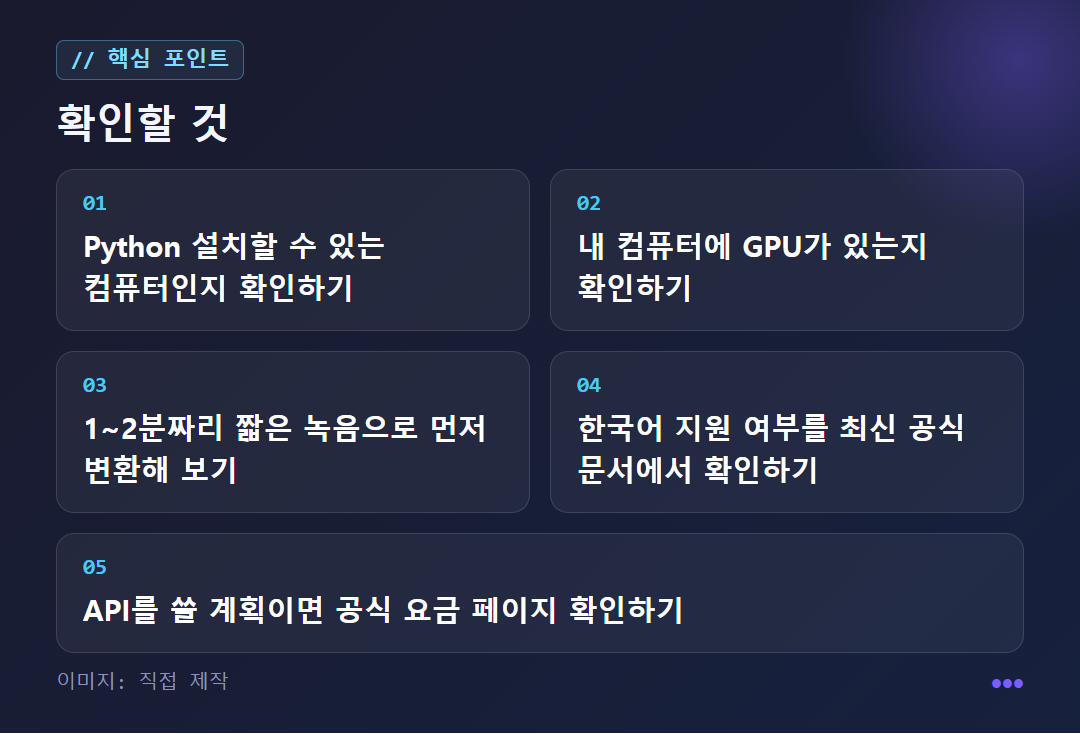
First install Python on your computer. Also get FFmpeg, which is used for audio processing, ready.
Install Whisper with the pip install command. For the exact install command, follow the instructions in the public code on GitHub.
Load a model with the load_model function. Bigger models recognize speech better but use more of your computer's resources. Choose one that fits your machine.
Pass the file path of a short 1–2 minute recording and run the transcription function. It can read files such as wav and mp3.
Whisper supported languages list
Frequently asked questions
A bit more detail
What kind of star is Whisper?
Whisper is a speech recognition (ASR) engine that listens to sound and transcribes it. It was made by OpenAI, and its code is public on GitHub. That means anyone can take it, use it, and modify it.
Under the hood it's deep learning. It's said to be built on the Transformer architecture, which was also used in GPT-3 and DALL-E. In the speech recognition cluster, you can think of it as the star that "has its code fully open." It's less a polished app with a nice window and more a star where you add the fuel and launch it yourself.
So it suits people with a little development experience, or the willingness to follow along. It's also a candidate for developers who want to add speech recognition to their own service.
What else does it do besides transcription, and where is it used?
Its strength is understanding many languages. English, Spanish, French, Chinese, Russian, and Arabic are given as examples. It can also identify on its own which language is being spoken, which is handy for recordings that mix languages.
It also includes a speech translation model that renders speech in one language into another. It's said to be built to work well even with background noise, but the source material gives no figures for how accurate it is on very noisy recordings.
The uses are clear: turning meeting and lecture recordings into documents, making video subtitles, providing text for people who are deaf or hard of hearing, and converting a backlog of audio files to text so you can search them. It's also used in developing voice assistants and chatbots that need to understand speech.
What do I need to get started?
The steps are simple. Install Python, install Whisper with pip install, load a model with load_model, then pass in an audio file path and run the conversion. Audio processing uses a multimedia program called FFmpeg, so you need to prepare that too.
It can read files in several formats, including wav and mp3. The easy place to get confused is model size. Bigger models recognize speech more strongly but use more of your computer. At first, it's best to choose one that matches your computer's specs.
There's no separate guide page; you type commands in directly, so the first time takes a while. Once you've set up the environment, you can repeat the same process for each file after that.
Is it really free? Where does money come in?
Whisper itself is open source, so you can use and modify it for free. However, a dedicated GPU (graphics processing unit) is said to be needed for faster processing. Without a GPU it may be slow, so conversion time is effectively the cost.
There is also a separate Whisper API that developers can put into their own apps. Check the official pricing page for its pricing. This article doesn't list any numbers because the source material has no prices.
In short, the program costs KRW 0, but you pay with your computer's specs and your waiting time. More details are also available in Speechify's introduction to Whisper.
Who is it not a good fit for, and what can I try today?
Because it is installed software, the first hurdle is high for non-developers. If you were expecting an app where you just drag and drop a file, you may be disappointed. Running a long recording without a GPU can also take a long time. It may not suit people who want to use it right away without coding, or people with a low-spec computer.
A note on Korean, too. The supported-language examples in the source material did not include Korean, and there was no explanation of Korean accuracy. If you have a lot of Korean recordings, check the supported languages in the latest official documentation first.
There is just one thing to do today. Try a 1–2 minute recording and check the recognition quality and speed first. If a recording contains names or contact details, check where it is processed before you use it. This article is not a hands-on review; it is a summary based on publicly available introductory articles.
✦ See this star on the 3D map